
Google Business Profile optimization for doctors helps individual physicians appear in local search and Google Maps results, improve credibility, and attract nearby patients. When combined with professional healthcare SEO services, it plays a critical role in long-term patient acquisition. 77% of patients use a search engine before booking a doctor appointment. And for most of them, the journey ends — or begins — right on your Google Business Profile, without ever visiting your website.
This guide explains how doctors should optimize their Google Business Profile correctly and ethically.
What Is a Google Business Profile for Doctors?
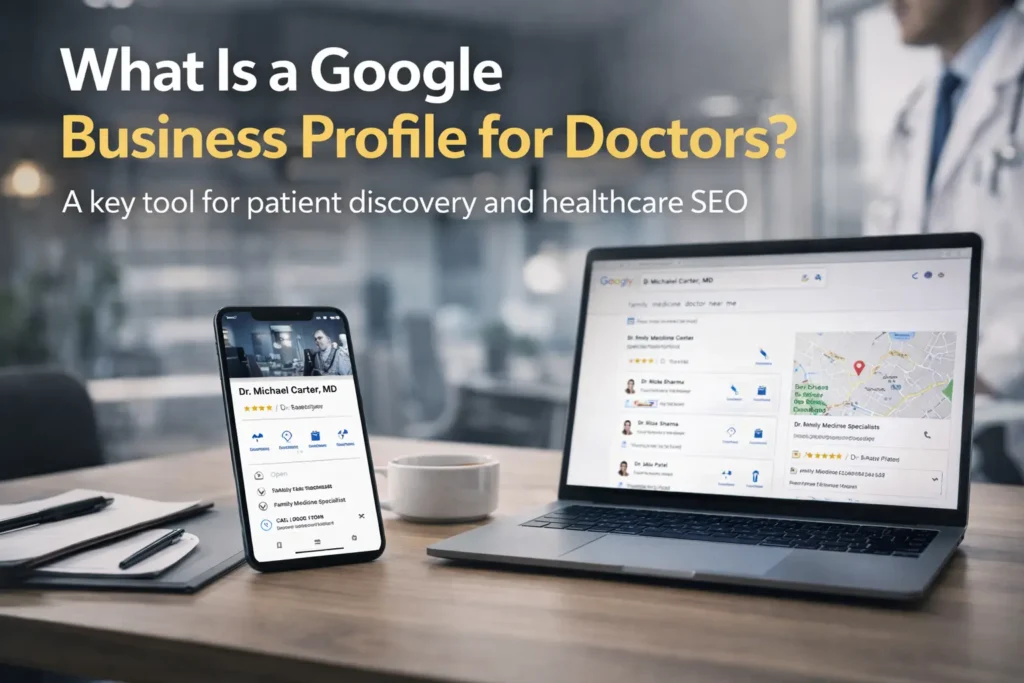
A Google Business Profile (GBP) for doctors is a verified digital listing that represents a doctor’s practice on Google Search and Google Maps. It acts as the primary source of truth for patients looking for nearby medical care and is a foundational element of modern healthcare SEO services.
For doctors, this profile typically includes:
- Doctor or clinic name
- Medical specialty and services
- Practice location and contact details
- Consultation hours
- Patient reviews and ratings
- Photos of the clinic and staff
In practical terms, a Google Business Profile allows patients to evaluate a doctor before making contact. Many patients compare doctors directly within Google results, using profiles to assess credibility, accessibility, and reputation.
In real-world medical practices, GBP often becomes the first and last touchpoint—patients discover the doctor, read reviews, and initiate contact without visiting the website. This behavior is why GBP optimization is emphasized in most healthcare SEO services frameworks.
Why Google Business Profile Optimization for Doctors Is Important
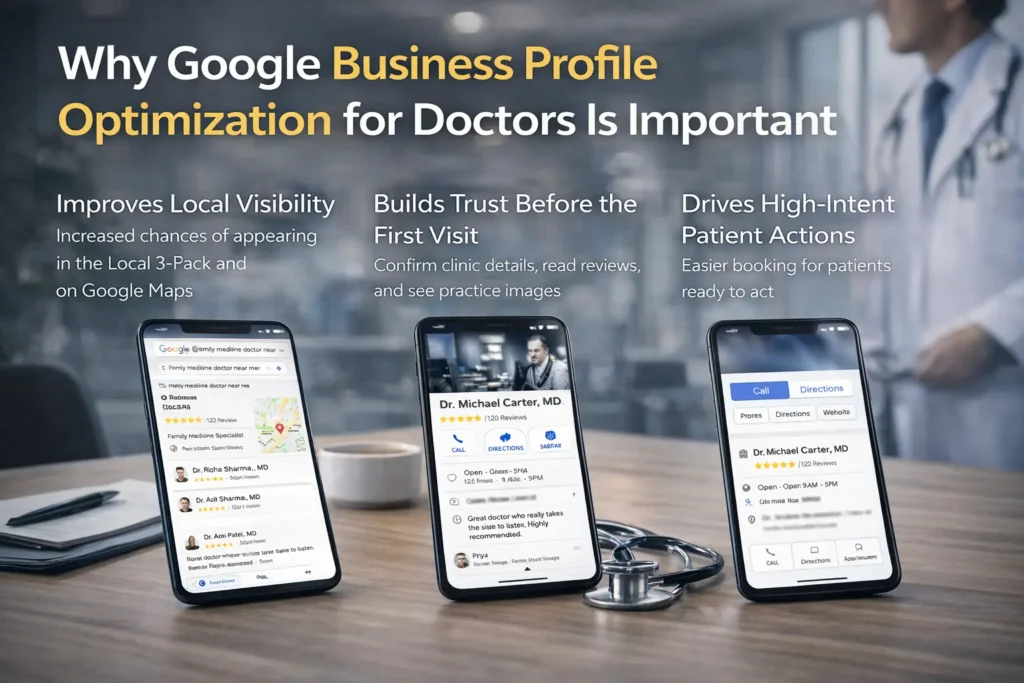
Improves Local Visibility
Google uses GBP data to determine:
- Which doctors appear in the Local 3-Pack
- Google Maps rankings
- Nearby physician recommendations
Key numbers every doctor needs to know:
- 77.78% of patients use Google specifically as their primary healthcare review platform, making it the dominant channel above WebMD, Healthgrades, and all others (RepuGen Patient Review Survey, 2025)
- 77% of patients search Google before booking a medical appointment (Optasy / Press Ganey, 2025)
- 84% of patients check online reviews before choosing a new healthcare provider (rater8 How Patients Choose Their Doctors Report, 2025 — 1,008 patient survey)
- 51% of patients read a minimum of 6 reviews before feeling confident enough to book (rater8, 2025)
- 40% of patients have cancelled or avoided booking an appointment because of negative reviews — even when personally recommended (rater8, 2025)
Without optimization, even experienced doctors may not appear in local results. This is a common issue addressed through structured healthcare SEO services provided by Raiseque Healthcare Digital Marketing, which focus on improving local discoverability and patient acquisition.
Builds Trust Before the First Visit
Patients rely heavily on:
- Reviews
- Accurate clinic details
- Visual confirmation of the practice
Most doctors face a common challenge: strong medical expertise but limited online trust signals.
Google Business Profile optimization helps close this gap by creating a professional, transparent, and patient-friendly digital presence.
61% of patients say even a personal recommendation from a friend or family member would not change their mind if they saw negative reviews online.
Drives High-Intent Patient Actions
Users viewing a doctor’s GBP are more likely to:
- Call directly
- Request directions
- Book an appointment
These actions indicate immediate patient intent, not early-stage research.
A well-optimized profile reduces barriers and makes it easier for patients to choose and contact a doctor quickly.
How to Optimize Google Business Profile for Doctors
Optimizing a Google Business Profile is not a one-time task — it is an ongoing process that combines accuracy, content, and patient engagement. Each of the following steps directly influences how Google ranks your profile and how patients perceive your practice.
Optimizing a Google Business Profile requires accuracy, consistency, and ongoing attention. Each step contributes to both visibility and trust.
Claim and Verify the Profile
Doctors must:
- Claim ownership of their Google Business Profile
- Complete Google’s verification process
Verification confirms that the doctor or clinic is legitimate and prevents unauthorized edits. Without verification, profile updates may be limited, and trust signals remain weak.
In practice, verified profiles are often treated as more reliable sources of information by Google—forming an essential baseline for building online credibility.
Choose the Correct Medical Category
Primary category selection is critical because it tells Google what type of doctor you are.
Examples include:
- Doctor
- Physician
- Specialist Clinic (e.g., Neurologist, Gastroenterologist)
Secondary categories should only be added if they accurately reflect the services provided.
Incorrect or misleading category selection is one of the most common local SEO mistakes doctors make and is frequently corrected during healthcare SEO services audits.
Maintain Accurate NAP Details
NAP stands for:
- Name
- Address
- Phone number
These details must be consistent across:
- The clinic website
- Medical and healthcare directories
- Social media profiles
Based on industry experience, inconsistent NAP information reduces Google’s confidence in a doctor’s listing and can confuse patients trying to make contact. Maintaining NAP consistency is a core responsibility of healthcare SEO services.
Even small mismatches—such as a different phone number or spelling—can negatively affect local rankings.
Write a Clear, Patient-Friendly Description
A strong doctor profile description should:
- Clearly explain medical services offered
- Mention specialization or focus areas
- Use simple, patient-friendly language
Avoid:
- Keyword stuffing
- Promotional or exaggerated claims
- Complex medical jargon
Patients are not looking for marketing copy. They want clarity, reassurance, and an understanding of whether the doctor meets their needs.
Upload Real Clinic and Practice Photos
Recommended images include:
- Clinic exterior (helps patients locate the practice)
- Consultation room
- Waiting area
- Doctor and staff (professional, real photos)
Authentic images help patients visualize the clinic environment and reduce uncertainty. Profiles with real photos typically receive higher engagement and trust compared to those using stock images or having no images at all.
Doctors who add photos to their Google Business Profile see 45% more direction requests and 31% more website clicks than those without photos. Profiles with 100 or more images receive 2,717% more direction requests than those with a single image.
Manage and Respond to Patient Reviews
Reviews are a major factor in both local rankings and patient decision-making.
Reviews are no longer optional. According to rater8’s 2025 survey of 1,008 U.S. patients:
- 84% check online reviews before choosing a new doctor
- 51% read at least 6 reviews before deciding
- 40% cancelled a planned appointment because of negative reviews
- Nearly half (45%) value doctors who actively respond to reviews, positive or negative
Despite this, 57% of patients rarely or never leave a review — meaning the practices that actively ask for feedback have a massive advantage over those that don’t.
Best practices include:
- Encouraging honest, voluntary patient feedback
- Responding professionally to all reviews
- Never disclosing patient or treatment details
Google favors profiles that demonstrate active, ethical, and responsible review management, especially in healthcare.
Post Regular Updates
Businesses that post weekly on their Google Business Profile see a 26% increase in local impressions — and profiles that include photos in posts get significantly more engagement than text-only updates.
Doctors can use Google Business Profile posts for:
- Clinic announcements
- Holiday or schedule changes
- Health awareness messages
Regular updates signal that the practice is active and engaged. From Google’s perspective, this improves relevance. From a patient’s perspective, it shows attentiveness and professionalism—both reinforced through healthcare SEO services.
GBP Audit for Doctors — Free 30-Minute Consultation
Tools Doctors Can Use to Manage and Monitor Their Google Business Profile
Most doctors set up their Google Business Profile once and forget it. The practices that consistently outrank competitors are the ones actively monitoring performance and tracking what competitors are doing. These free and low-cost tools make that possible without needing a full marketing team.
1. GMB Everywhere (Free Chrome Extension) GMB Everywhere is a Chrome extension that overlays Google Business Profile data directly onto Google Maps search results. When you search for “cardiologist in Mumbai” or “dermatologist near me,” it shows you the exact categories, review counts, and profile completeness of every competitor appearing in the Local 3-Pack — right on the search results page.
For doctors, this means you can instantly see which primary category your highest-ranking competitor is using, how many reviews they have, and what secondary categories they have selected.
Install it free at: gmbeverywhere.com
2. Google Search Console (Free — by Google) Google Search Console shows you exactly which search queries are driving patients to your profile and website, how many impressions and clicks your listing gets, and which pages Google is indexing. For a doctor’s GBP strategy, it is the single most important free monitoring tool available.
Connect your website and GBP together inside Search Console to get a unified picture of how your local presence is performing in Google’s eyes.
Access it free at: search.google.com/search-console
3. BrightLocal (Paid — from $39/month) BrightLocal is the industry standard for tracking local search rankings by city, neighbourhood, or postal code. For doctors with clinics in specific areas, it lets you see exactly where you rank in Google Maps for searches like “orthopaedic surgeon in [area]” — including a visual grid map showing your ranking at different geographic points around your clinic.
It also audits your NAP consistency across directories and tracks your review growth over time across Google, Healthgrades, and Practo.
Explore it at: brightlocal.com
4. Whitespark Local Citation Finder (Free + Paid plans) Citations — mentions of your clinic’s Name, Address, and Phone number on other websites — directly influence your Google Maps prominence score. Whitespark scans the web and finds every directory, healthcare listing, and local site where your clinic should be listed but isn’t.
For doctors, it specifically identifies healthcare directories like Practo, Justdial, Lybrate, and hospital directories where an accurate listing would boost local ranking signals.
Explore it at: whitespark.ca
5. GS Location Changer (Free Chrome Extension) GS Location Changer lets you change your virtual search location inside Google Maps, so you can see exactly what your Google Business Profile looks like to a patient searching from a different part of your city or from a nearby city altogether.
This is particularly useful for doctors who want to check their visibility in a specific neighbourhood without physically being there.
Install it free at: Chrome Web Store — GS Location Changer
Common Google Business Profile Mistakes Doctors Should Avoid
Many doctors unintentionally harm their local visibility by making avoidable Google Business Profile mistakes.
Common issues include:
- Adding keywords to the doctor or clinic name to manipulate rankings
- Creating multiple or duplicate listings for the same practice
- Using incorrect or outdated clinic addresses
- Ignoring patient reviews, especially negative ones
- Setting incorrect consultation hours
These mistakes confuse both Google and patients. From Google’s perspective, inconsistent or misleading information reduces trust. From a patient’s perspective, it creates doubt about professionalism and reliability.
Based on industry experience, even small errors—such as a mismatched phone number or incorrect map pin—can significantly impact Google Maps rankings for doctors.
Avoiding these mistakes is often the first step toward improving local performance.
How Google Ranks Doctor Profiles Locally
Google ranks doctor profiles locally using three primary factors:
Relevance
How well a doctor’s profile matches the patient’s search query.
This includes:
- Correct medical categories
- Clear service descriptions
- Accurate specialization information
Distance
How close the doctor’s practice is to the patient’s location at the time of the search.
Distance cannot be controlled, but accurate address and map placement are essential.
Prominence
According to BirdEye’s State of Google Business Profile 2025 report, even a single additional review can generate 600+ additional search impressions, 80+ more website visits, 63+ more direction requests, and 16+ more calls per month. In competitive medical markets, review velocity — how consistently new reviews arrive — is often the deciding factor between appearing in the Local 3-Pack or being buried below it.
How well-known and trusted the doctor appears online.
This is influenced by:
- Number and quality of patient reviews
- Review responses
- Profile activity and completeness
In competitive medical markets, prominence often becomes the deciding factor between doctors appearing in top search results or being pushed down the list. Consistent optimization efforts help improve prominence over time.
Well-maintained profiles that consistently reflect real-world practice tend to perform better over time.
Learn More About Local SEO for Healthcare
Google Business Profile optimization for doctors is a key part of a broader local search strategy, but it does not work in isolation. While an optimized GBP helps doctors appear in Google Maps and “near me” searches, sustainable local visibility depends on multiple factors working together.
These include on-page website optimization, consistent local citations, patient reviews, accurate business information, and overall website trust signals. When these elements align, doctors are more likely to appear consistently across local search results and Maps.
To understand how all these components work together—and how medical practices can build long-term local visibility—read our complete guide on [Local SEO for Healthcare].
Continue Learning: Local SEO for Doctors and Clinics
Google Business Profile optimization is one piece of a larger local search strategy. These guides cover the next steps every doctor and clinic should take to build long-term visibility on Google.
Article 1: What Is Local SEO for Healthcare? Why It Matters for Clinics and Hospitals

Your Google Business Profile works best when it is backed by a complete local SEO strategy. This guide explains hat local SEO means specifically for healthcare providers, why it is the foundation of long-term patient acquisition, and how clinics and hospitals can build visibility that does not depend on paid advertising.

Read the Full Guide →

Article 2: How Google Maps Ranking for Clinics and Hospitals Works

Appearing in Google Maps is not random — it follows a specific ranking algorithm based on relevance, distance, and prominence. This guide breaks down exactly how Google decides which clinics appear in the Local 3-Pack and what doctors can do to improve their position in Maps results for high-intent patient searches.

Read the Full Guide →
Article 3: Local SEO Guide for Clinics and Doctors

A complete step-by-step local SEO guide written specifically for medical practices. Covers everything from optimising your Google Business Profile and building local citations to collecting patient reviews and creating location-specific content that attracts nearby patients searching for your specialty.

Read the Full Guide →

Article 4: Why New Clinics Fail in the First Year — And What Most Doctors Get Wrong

Most new clinics lose patients not because of poor medical care but because of invisible online presence. This guide identifies the most common digital mistakes doctors make in the first year of practice — including weak GBP setup, no review strategy, and inconsistent local information — and shows exactly how to fix them before they cost you patients.

Read the Full Guide →
FAQ Section
Q1. What is Google Business Profile optimization for doctors?
Google Business Profile optimization for doctors is the process of completing, updating, and actively managing a doctor’s Google listing so it ranks higher in local search results and Google Maps. This includes selecting the correct medical categories, writing a keyword-rich practice description, uploading real clinic photos, collecting patient reviews, and posting regular updates. When done correctly, an optimized profile helps doctors appear in the Local 3-Pack — the top three results that appear before any website listings — where most patients make their final decision on which doctor to contact.
Q2. Can individual doctors have their own Google Business Profile?
Yes, individual doctors can and should have their own Google Business Profile, provided they see patients at a physical location and are the primary practitioner at that address. A solo physician, specialist, or independent consultant qualifies for a verified GBP listing tied to their clinic address. If a doctor practices at multiple locations, a separate verified profile should be created for each physical address, as Google’s local ranking algorithm is tied to physical proximity to the patient searching.
Q3. How often should doctors update their Google Business Profile?
Doctors should update their Google Business Profile at least once or twice per month to maintain strong local search visibility. Regular updates can include new clinic photos, Google Posts about health awareness topics or appointment availability, changes to consultation hours, or responses to recent patient reviews. Google’s local ranking algorithm treats consistent profile activity as a signal that the practice is active and trustworthy — inactive profiles gradually lose ground to competitors who update regularly, even if the inactive profile was better optimized initially.
Q4. Do Google reviews affect doctor rankings?
Yes, Google reviews are one of the strongest local ranking signals for doctors and directly influence where a profile appears in Google Maps and the Local 3-Pack. According to rater8’s 2025 patient survey, 84% of patients check online reviews before choosing a new healthcare provider, and 51% read at least six reviews before booking. Beyond rankings, reviews affect conversion — 40% of patients have cancelled a planned appointment due to negative reviews, meaning that managing and responding to reviews is not just an SEO task but a direct patient acquisition responsibility.
Q5. Is Google Business Profile free for doctors?
Yes, Google Business Profile is completely free for doctors to claim, set up, and manage. There is no subscription fee or paid tier required to appear in Google Maps or the Local 3-Pack — a fully optimized free profile can outrank paid advertisements in local search results. The only investment required is time spent on optimization: selecting accurate medical categories, writing a strong practice description, uploading photos, collecting patient reviews, and posting regular updates. Doctors who invest this time consistently see measurable improvements in patient enquiries directly from their profile.
Q6. How long does Google Business Profile optimization take to show results for doctors?
Most doctors begin seeing improvements in local search visibility within 4 to 8 weeks of completing a full Google Business Profile optimization — though competitive markets or recently created profiles may take 3 to 6 months to build enough prominence to rank consistently in the Local 3-Pack. The fastest gains typically come from fixing profile completeness issues, correcting NAP inconsistencies, and beginning an active review collection strategy. Long-term ranking stability depends on ongoing activity including monthly posts, photo updates, and consistent review responses rather than a single one-time optimization effort.
Q7. What is the best primary category for a doctor on Google Business Profile?
The best primary category depends on the doctor’s specialty. General practitioners should select “Doctor” or “Physician,” while specialists should use their exact specialty category such as “Cardiologist,” “Dermatologist,” “Orthopedic Surgeon,” or “Pediatrician.” Using the most specific category available is critical because it tells Google’s algorithm exactly what type of medical care the practice provides, improving relevance for specialty-specific searches like “skin doctor near me” or “heart specialist in [city].” Secondary categories can be added for any additional services offered, but the primary category should always reflect the doctor’s core specialty.