Most patients today search “clinic near me”, “hospital near me”, or “healthcare services nearby” before making a decision.
The first thing they usually see is your Google Business Profile (GBP).
Direct answer:
Google Business Profile optimization for healthcare helps clinics and hospitals improve local visibility, appear in Google Maps results, and build patient trust before the first visit.
This guide explains what to optimize, why it matters, and how healthcare organizations should manage their Google Business Profile correctly.
What Is a Google Business Profile in Healthcare?
A Google Business Profile is a free Google listing that displays your healthcare facility on:
- Google Search
- Google Maps
- Local “near me” results
For healthcare providers, it typically includes:
- Clinic or hospital name
- Healthcare category and services
- Address and phone number
- Reviews and ratings
- Operating hours
- Photos and updates
In real-world healthcare practices, this profile often drives more patient actions than the website itself.
Why Google Business Profile Optimization for Healthcare Is Important
1. Improves Local Visibility
Google uses GBP signals to determine:
- Local Pack inclusion
- Google Maps ranking
- Nearby healthcare recommendations
2. Builds Patient Trust
Patients evaluate healthcare providers based on:
- Reviews
- Accurate information
- Visual proof of the facility
Most healthcare clinics face this challenge: strong clinical expertise but weak online trust signals.
3. Drives High-Intent Actions
GBP users are ready to:
- Call the clinic
- Get directions
- Book appointments
Your Google Business Profile is the first impression many potential patients have of your practice. When someone searches “pediatrician near me” or “best skin doctor in [Your City]”, Google Maps and local listings appear at the top. That’s your chance to be seen—and chosen.
A well-optimized profile:
- Ranks higher in local search
- Builds credibility and trust
- Encourages more bookings
- Brings patients straight to your clinic
You can also Read: What Is Local SEO for Healthcare? and Why It Matters for Clinics and Hospitals
Step-by-Step: How to Optimize Google Business Profile for Healthcare
If you don’t have Google Business Profile the read this blog: How to List Your Business on Google: The Complete Guide 2025
1. Claim and Verify Your Listing
This is the most important step.
Go to Google Business Profile Manager, find your clinic, and claim the listing.
Then, verify it by postcard, phone, or email to take full control.
2. Complete Every Section of Your Profile
Google favors complete and accurate listings. Here’s what to focus on:
Business Description
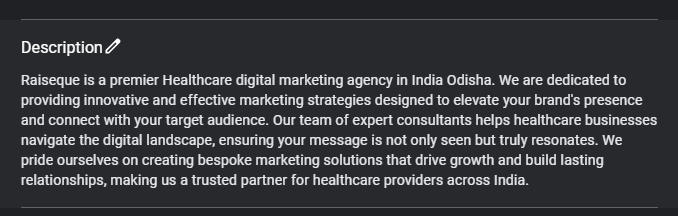
Write a clear and friendly paragraph that explains:
- Who you are
- Your specialty (e.g., Dermatologist, Pediatrician, etc.)
- What makes your care unique
Use keywords like “skin doctor in Mumbai” or “child specialist in Delhi” naturally.
Categories
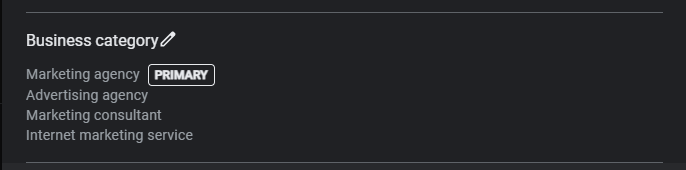
Choose the right primary and secondary categories:
- Primary: “General Practitioner,” “Dental Clinic,” or “Orthopedic Surgeon”
- Secondary: “Weight Loss Service,” “Vaccination Clinic,” etc.
Services
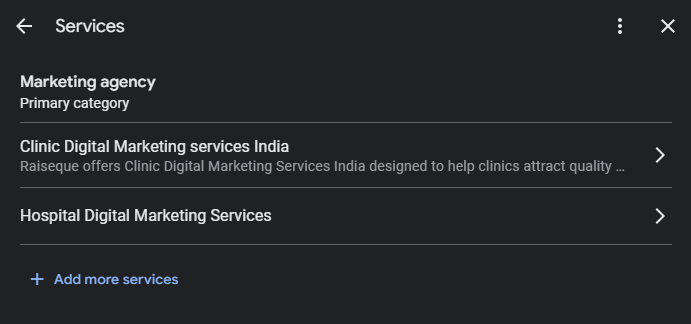
List all your services:
- General Consultation
- Lab Testing
- Dental Implants
- Blood Pressure Monitoring
Each service should include a short description with keywords.
Attributes
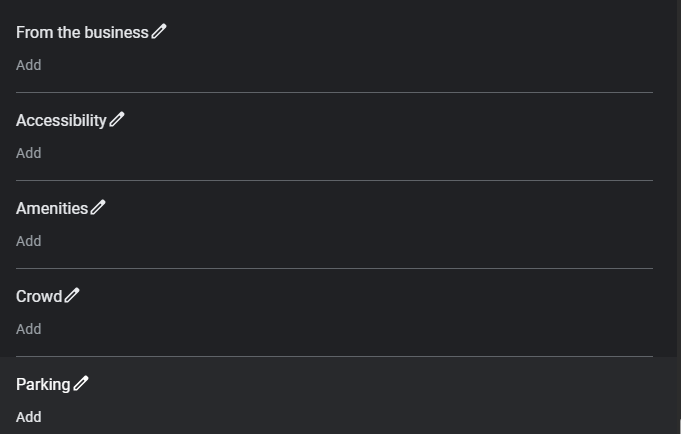
Let people know what to expect:
- Wheelchair accessibility
- Online consultation
- Female doctor available
- Languages spoken (English, Hindi, etc.)
Contact Details & Hours
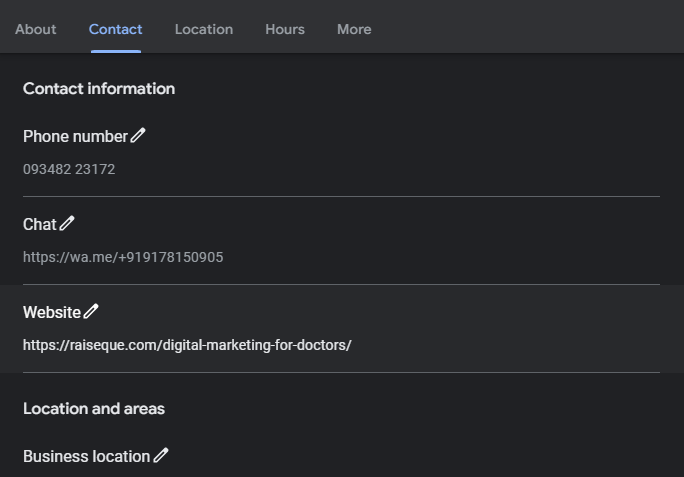
Ensure your:
- Phone number is correct and active
- Address is accurately pinned
- Website link is working
- Opening hours are regularly updated (including holidays)
3. Add High-Quality Photos and Videos
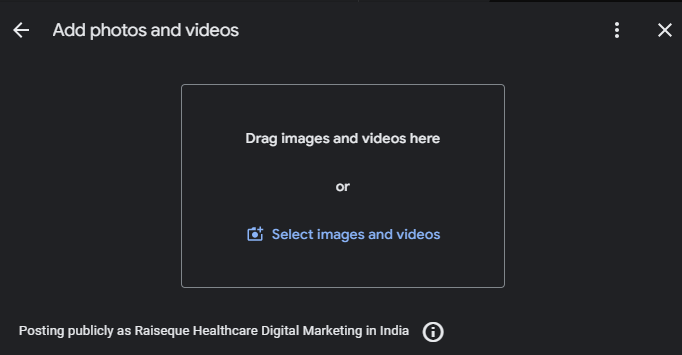
Photos help patients trust your clinic even before they visit.
What to Upload:
- Clinic exterior & signage
- Reception & waiting area
- Staff & doctors (with permission)
- Consultation rooms & equipment
Bonus: Add a short video tour or a friendly doctor introduction to boost engagement.
4. Collect and Respond to Reviews
Reviews are one of the strongest local ranking factors for Google.
How to Get More Reviews:
- Ask patients kindly after their appointment
- Send a follow-up SMS or WhatsApp with a review link
- Use QR codes at your front desk
Always Respond:
- Thank positive reviewers
- Address concerns from negative reviews professionally
This shows Google—and future patients—that you care.
5. Post Regular Google Updates
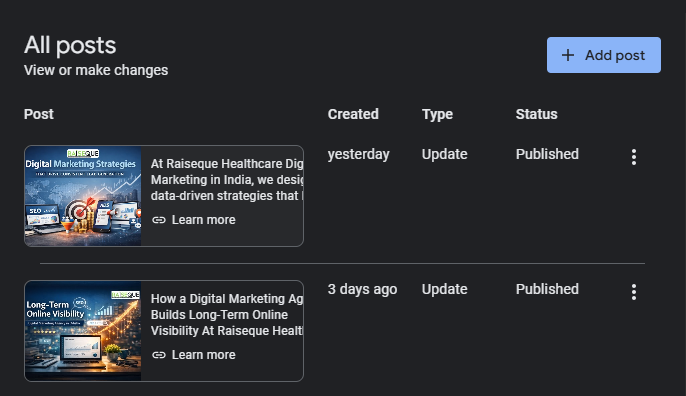
Just like social media, Google allows business posts—use them!
Post about:
- Health awareness days
- Clinic offers or new services
- Tips like “How to prevent seasonal flu”
It keeps your profile fresh and increases your chances of showing up in search.
6. Use Relevant Keywords for Local SEO
Use keywords patients actually search for:
- “Orthopedic clinic in Chandigarh”
- “Best ENT specialist near me”
- “24/7 emergency doctor [City]”
Include them naturally in:
- Business description
- Posts
- Service list
- Website linked to your GBP
7. Build Local Citations
List your clinic consistently across trusted healthcare platforms:
- Practo
- Lybrate
- JustDial
- Sulekha
- Local directories and healthcare forums
Make sure your Name, Address, and Phone number (NAP) is exactly the same everywhere.
8. Track and Improve with Google Insights
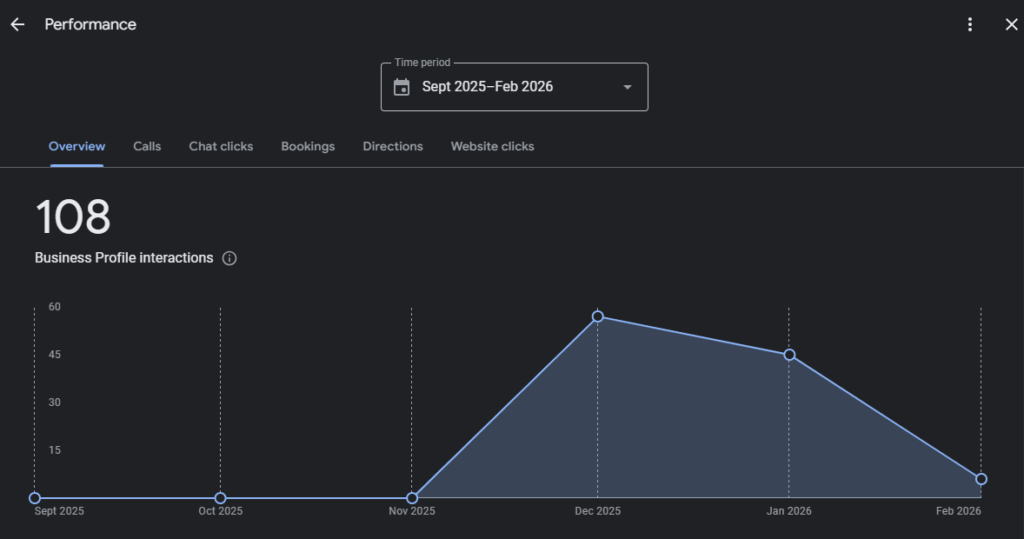
Google Business Profile gives you data like:
- How many people saw your profile
- Clicked your website
- Asked for directions
Use these insights to refine your strategy. For example, post more on days with high traffic or promote under-clicked services.
Common Google Business Profile Mistakes in Healthcare
- Using keywords in business name
- Duplicate clinic listings
- Incorrect location pin
- Ignoring negative reviews
- Outdated operating hours
These mistakes can suppress Google Maps visibility.
How Google Uses GBP Data for Healthcare Rankings
Google evaluates:
- Relevance – match to search intent
- Distance – proximity to the user
- Prominence – reviews, engagement, authority
Well-optimized healthcare profiles consistently outperform competitors.
FAQs
Q1. How do I optimize my Google My Business profile?
Start by claiming your listing, completing all profile sections with accurate information, adding photos, collecting reviews, and posting updates regularly.
Q2. How do I get my Google Business Profile to rank higher?
Use keywords, encourage patient reviews, maintain NAP consistency, and update your profile regularly. Engagement is key.
Q3. How to increase SEO for Google Business Profile?
Incorporate location-based keywords, publish posts, and ensure consistent listings on external directories. Optimize your photos and get more user interactions.
Q4. How do I make my Google Business Profile stand out?
Add high-quality photos, a welcoming business description, regular posts, and detailed service lists. Respond quickly to reviews and questions from potential patients.
Final Thoughts
Your Google Business Profile is your digital front door. With the right optimization, it can be your clinic’s most powerful patient magnet.
Whether you’re a solo doctor or part of a multi-specialty clinic, these strategies will help you show up higher in searches, connect with local patients, and grow your medical practice faster.