If you’re a clinic owner, showing up on Google Maps and local search results isn’t just a good idea—it’s critical to your patient flow. Whether you’re a dentist, dermatologist, or pediatrician, local SEO ensures that when someone searches for “clinic near me,” your name shows up.
This 2025 guide breaks down everything you need to know to improve your clinic’s visibility in Google Maps and Local Search. Let’s dive in!
Local Search and Google Maps Ranking for Clinics (2025 Guide)
Local Ranking Factors
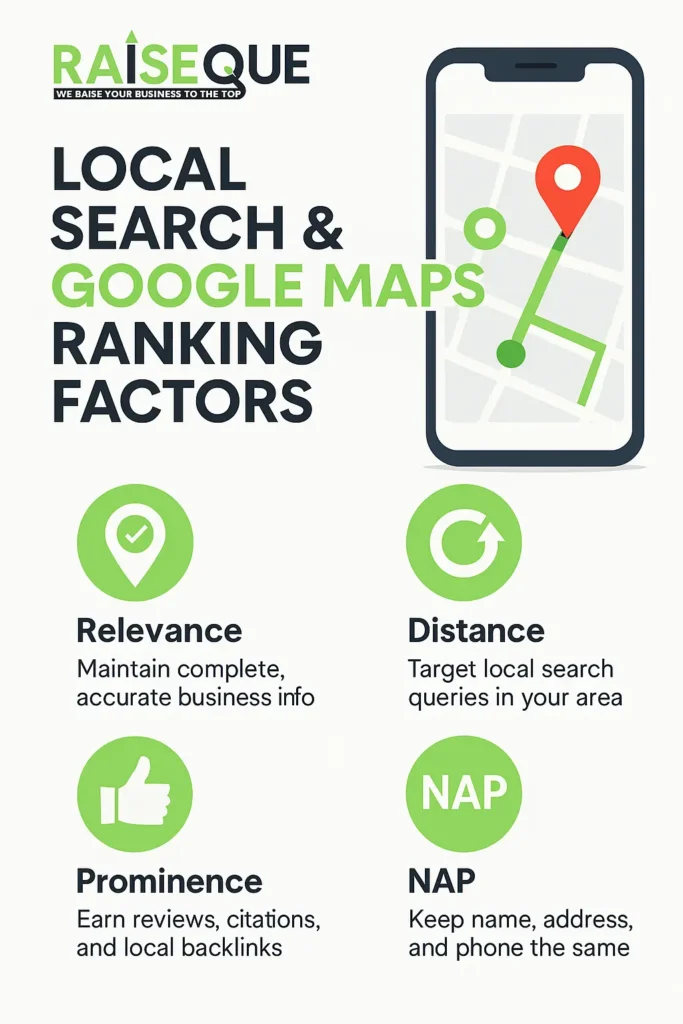
Google Maps rankings are determined by three primary factors: relevance, distance, and prominence. Relevance measures how well your business matches a searcher’s intent. Distance refers to how far your clinic is from the searcher. Prominence is based on how well-known your clinic is both online and offline. To boost rankings:
- Ensure your profile is complete and accurate, including business name, address, phone number (NAP), operating hours, categories, and services.
- Target common local queries such as “dentist near me” or “flu shot in [City]” to appear in discovery-based searches.
- Focus on gaining reviews, local citations, and backlinks to build your clinic’s prominence.
Embed Map and Schema Markup
Embedding a Google Map on your website’s contact page boosts your local relevance. Additionally, using local business schema (JSON-LD format) ensures that search engines understand your clinic’s NAP, specialties, hours, and services. This structured data enhances your chances of appearing in local search results and featured snippets.
NAP Consistency
Consistency in your Name, Address, and Phone Number (NAP) across all platforms is crucial. Discrepancies (like “St.” vs. “Street”) can confuse search engines and negatively impact rankings. Regularly audit your listings across directories, social media, and your website to ensure uniformity.
Google Business Profile (GBP) – Claim & Optimize
Claim and Verify
Start by claiming your Google Business Profile and completing the verification process. Verification may involve receiving a postcard, phone call, or video confirmation. Only verified profiles appear in local pack listings and are eligible for running Google Local Services Ads.
Business Name
Use your actual business name without adding keywords or marketing phrases. The name should match your signage and branding to maintain credibility and avoid penalties.
Primary and Secondary Categories
Choose the most specific category that defines your clinic, such as “Dental Clinic,” “Chiropractor,” or “Podiatrist.” You can add secondary categories for additional services like “Teeth Whitening Service” or “Sports Medicine Physician.” Accurate categorization helps match your profile to more relevant queries.
Attributes
Fill out all applicable attributes such as “Wheelchair Accessible,” “Telehealth Available,” “Women-led,” or “Veteran-led.” Google has also introduced new attributes in 2024–2025, such as “carbon-neutral” or “sign language available,” which improve visibility in filtered searches.
Business Description
Write a clear and concise description (around 300–500 characters) focusing on your services and location. Avoid keyword stuffing. Include 1–2 naturally placed local keywords that define your offerings.
Services and Products
List all primary services you offer like “Dental Implants,” “Vaccinations,” or “Chiropractic Adjustments.” If applicable, list products such as supplements or medical devices. Descriptions should be keyword-optimized and updated as needed.
Visual Content: Photos & Videos
High-Quality Photos
Add professional and authentic images of your clinic, including the exterior, waiting area, staff, and equipment. Ensure the resolution is at least 1080×1080 pixels. Avoid using stock photos—Google favors real, engaging visuals. Regularly update these to reflect changes or seasonal updates.
Videos and Virtual Tours
Upload short videos (up to 30 seconds) highlighting your clinic’s services or environment. Virtual tours or 360-degree views help potential patients feel more comfortable. Categorize photos into interior, exterior, staff, and services for better indexing.
Google Posts & Customer Engagement
Regular Posting
Keep your Google Business Profile active by posting weekly updates on promotions, healthcare tips, or news. Each post should include a relevant image, a clear CTA like “Book Now” or “Call Today,” and focus on local keywords. Posts expire after approximately three months, so maintain a content calendar.
Messaging and Q&A
Enable messaging so patients can contact you directly through Maps. Set up auto-replies for common queries. Monitor and respond to user-submitted questions in the Q&A section promptly. Active engagement boosts your visibility and builds trust.
Google Local Services Ads (LSAs)
If eligible, clinics should leverage LSAs, which appear at the top of Google search results. LSAs require a fully verified GBP and often include enhanced verification steps such as submitting utility bills or business licenses. Clinics offering services like dentistry, dermatology, or general practice can benefit greatly from LSAs by attracting high-intent local traffic.
Reviews & Reputation Management
Encourage and Respond
Patient reviews are a major ranking factor. Encourage satisfied patients to leave feedback through direct links. Respond to all reviews—thank positive feedback and address negative comments professionally. Frequent, authentic reviews signal activity and credibility.
Review Keywords
Include keywords naturally in your replies, such as “Thank you for choosing [Clinic Name] for your physical therapy session.” Keyword-optimized reviews enhance search relevance.
Monitor Third-Party Listings
Stay active on other healthcare directories like Healthgrades, Zocdoc, and RateMDs. While Google weighs GBP reviews more heavily, consistency across platforms boosts trust and authority.
On-Page SEO & Website Factors
Location-Specific Pages
If your clinic operates in multiple locations, create a unique page for each with localized content. Include the address, phone number, hours, and services specific to that branch. Use regional keywords to improve local SEO.
Homepage and Meta Content
Optimize your homepage title tag and meta description to include your primary specialty and location. Implement schema markup on each page to enhance search visibility.
Mobile Optimization and Page Speed
Most local searches happen on mobile. Ensure your site is mobile-responsive, loads quickly, and features click-to-call and click-to-map buttons. Mobile usability affects both user experience and search rankings.
Citations and Local Backlinks
Consistent Citations
List your clinic in trusted directories such as Yelp, Bing Places, Apple Maps, and local business chambers. Ensure all listings match your GBP’s NAP exactly. Use citation tools to audit and fix inconsistencies.
Backlink Strategy
Acquire backlinks from local media, health associations, and event sponsorships. Hosting health fairs or partnering with local organizations can lead to valuable links that boost local authority.
Maintain active social profiles on platforms like Facebook, Instagram, and LinkedIn. Share health tips, clinic updates, and testimonials. Press releases or articles in local news also add credibility and can generate backlinks.
Google Business Profile Updates (2024–2025)
Verification Requirements
Stricter verification measures are in place, including document uploads and video checks. Ensure your profile is verified and kept up to date, especially before running LSAs.
AI and Clickless Search Trends
With Google’s move towards AI-driven and zero-click search results, your GBP must be treated as a dynamic asset. Update posts, services, and Q&A regularly to feed the algorithm fresh content.
Profile Completeness
Complete every available field in your profile. New attributes, services, and categories are introduced periodically. Profiles with maximum completeness are more likely to appear in high-visibility placements.
Visual Standards
Google has raised visual requirements. Use high-resolution images (1080×1080 pixels) and authentic videos. Well-captioned media improves your clinic’s engagement rate and discoverability.
Analytics and Tracking Tools
Use the GBP Insights dashboard to track how users find and interact with your profile. Link your website to Google Analytics and Google Search Console to analyze referral traffic and on-site behavior. Consider call tracking software to monitor appointment inquiries from GBP.
Case Studies
A national sports medicine clinic increased calls by over 350% in just seven months by standardizing and optimizing its GBP across 170 locations. Similarly, a local dental practice achieved top rankings for “Invisalign in [City]” by focusing on targeted location pages and accumulating patient reviews.
Future Trends and Best Practices
- Voice Search: Optimize for voice queries using natural language keywords like “Where can I get a flu shot near me?”
- AI Chat Integration: Be ready for generative search tools. Structured Q&A and detailed service descriptions may power chatbot responses.
- Trust Signals: Display credentials, certifications, and affiliations prominently on your website and GBP.
- Engagement: Google favors businesses with high user interaction. Promptly respond to messages and reviews, and utilize features like virtual tours and appointment links.
Analytics, Tracking & Tools for Clinic SEO
Google Insights & Analytics
Monitor your clinic’s visibility and performance using the Google Business Profile (GBP) Insights dashboard. Track key metrics such as:
- Search impressions
- Map views
- Website clicks
- Call volumes
Analyze the search queries patients use to find your clinic and update your content and keywords accordingly. Connect your website to Google Analytics and Google Search Console to track referral traffic from Maps and measure user behavior on your site.
Local Rank Tracking Tools
Use local SEO tools like BrightLocal, Whitespark, or Moz Pro to:
- Monitor your Google Maps rankings
- Audit your local citations
- Benchmark your clinic against competitors
- Identify missing or incorrect listings
These tools help maintain your clinic’s visibility and discover opportunities for local SEO growth.
Review Management
Automate and streamline review collection using tools such as BirdEye, Podium, or Grade.us. These platforms help you:
- Request reviews via SMS or email
- Track sentiment and response trends
- Alert you to new feedback in real time
Ensure the platform you choose adheres to healthcare privacy regulations and avoids asking for sensitive patient information.
Call & Appointment Tracking
Implement call-tracking software (e.g., Ringostat, Liine) to measure the effectiveness of your local SEO and Google Maps presence. Benefits include:
- Tracking calls generated from Maps and website visits
- Identifying which keywords or campaigns lead to bookings
- Understanding patient behavior and improving ROI
Use this data to optimize your messaging and advertising strategies.
Case Studies & Success Examples
Multi-Location Clinic Growth
A national sports medicine clinic increased call volume by over 350% within seven months by:
- Centralizing its online presence
- Correcting GBP categories across 170+ locations
- Enhancing business descriptions
- Posting updates and responding to Q&A regularly
This coordinated approach significantly improved their map visibility.
Local Clinic Visibility Boost
A dental clinic improved its Google Maps ranking by focusing on:
- Acquiring Google reviews using keywords like “Invisalign in [City]”
- Creating city-specific service pages with optimized content
These local content strategies and positive review signals helped them reach the top of the local map pack for high-intent search terms like “service near me.”
SEO Trends & Best Practices in 2025
Mobile & Voice Search Optimization
Optimize for voice commands such as, “Hey Google, find a nearby pediatrician,” by:
- Using conversational, long-tail keywords
- Keeping your GBP and website fully updated
- Including FAQs that reflect real patient queries
AI-Powered Search & Chat
Google is rolling out AI-based responses for local searches. Clinics should:
- Include structured FAQs on websites and profiles
- Keep business information current and accurate
- Prepare for zero-click and chat-like search results
Health & YMYL Content Standards
As a healthcare provider, ensure your content:
- Is factually accurate and medically reviewed
- Follows HIPAA/compliance standards
- Displays your qualifications and medical credentials
Trustworthiness is critical for local search visibility in the health space.
Patient Engagement Signals
Google increasingly rewards businesses that offer strong engagement. Boost your profile by:
- Enabling virtual tours and patient check-ins
- Responding to messages and reviews promptly
- Updating posts regularly to show activity
Stay Ahead with Local SEO Updates
The local SEO landscape evolves quickly. Keep your strategy up to date by monitoring:
- Google Business Profile updates
- SEO and digital marketing blogs
- Forums and communities focused on local search
Adapting to changes early ensures your clinic remains competitive.
Final Thoughts
Optimizing your clinic’s Google Business Profile is no longer optional—it’s essential. A well-maintained and strategically updated profile can significantly increase visibility, build patient trust, and drive consistent traffic to your clinic. By staying ahead of algorithm updates and embracing new GBP features, clinics can ensure long-term success in local search.
Frequently Asked Questions
1. How long does it take to rank in Google Maps?
It can take 2–8 weeks depending on competition, profile completeness, and consistency of citations.
2. Is a website necessary if I have a GBP?
Yes! A website builds trust, supports SEO, and allows deeper optimization with schema, service pages, and blogs.
3. What’s the difference between Google Maps and organic search results?
Google Maps shows localized businesses with a map. Organic search includes broader content like blog posts and directories.
4. Can I rank in multiple nearby cities?
Yes, by creating unique landing pages and GBP service areas for each city.
5. Are paid ads necessary for local SEO?
Not required, but Local Services Ads and Google Ads can boost visibility alongside strong organic performance.
In 2025, having a great clinic isn’t enough. You need visibility, trust, and a strong online presence to stand out in the crowded healthcare space. Whether you’re a beginner or an experienced practitioner, growing your clinic online requires a well-planned digital strategy.
This step-by-step guide will walk you through everything from search engine optimization (SEO) and content marketing to paid ads and patient engagement tools—with real-world examples and free tools along the way.
🏥 Why Growing Online Matters More Than Ever
Patients today search online before they walk into a clinic. According to Google Trends, healthcare-related queries like “best orthopedic near me” or “clinic open now” have skyrocketed in recent years. Without an online presence, you’re invisible to potential patients.
The good news? With the right digital strategy, you can build credibility, increase footfall, and retain loyal patients—even on a small budget.
✅Step 1: Audit Your Current Online Presence
Before you start building a stronger digital presence for your clinic, it’s essential to understand where you currently stand. Think of it as a digital health checkup for your brand.
📌 Action Checklist:
Begin by searching your clinic’s name on Google. See what comes up—your website, Google Business Profile, reviews, or perhaps nothing at all. If your Google Business Profile (GBP) isn’t verified, you could be missing out on local patient leads. Make sure it’s updated with your correct location, services, contact number, and working hours.
Next, analyze your social media accounts. Are they active, engaging, and professionally branded? Patients often check platforms like Facebook or Instagram to gauge your reputation and get updates.
Then, open your website on a mobile phone. Over 70% of healthcare searches happen on mobile—so if your site is slow or unreadable, visitors will bounce quickly.
🔧 Free Tools You Can Use:
- Google Business Profile Manager: Manage and verify your GBP for better visibility.
- GTmetrix: Check your website speed and get suggestions to improve loading time.
- Ubersuggest: Run a quick SEO audit to find issues affecting your search ranking.
✅ Step 2: Dominate Local SEO for Clinics
If you want more footfall and appointment bookings, local SEO is your clinic’s best friend. When someone searches for “ENT doctor in Delhi” or “best dentist near me,” Google highlights the most relevant local businesses on top—especially those with well-optimized Google Business Profiles (GBP).
📌 Optimization Tips:
- Complete your GBP profile with services like “diabetes care,” “ENT surgery,” or “child vaccination.” This helps Google understand what your clinic offers.
- Add high-quality photos of your clinic’s exterior, interior, medical equipment, and team. It builds trust and improves click-through rate.
- Encourage happy patients to leave reviews regularly. A steady stream of positive reviews boosts visibility and credibility.
- Use location-based keywords like “Delhi skin clinic” or “pediatrician in Gurgaon” across your website and blog content to improve local keyword ranking.
💡 Pro Tip:
Clinics that consistently post updates, offers, or health tips on their GBP and have 50+ genuine reviews often climb the local search rankings faster. Google loves fresh, trustworthy, and geo-specific content.
Local SEO isn’t just technical—it’s about building trust in your neighborhood. Start optimizing today and let patients find you.
✅ Step 3: Build a High-Converting Website
In today’s digital-first world, your website is more than just an online brochure—it’s your clinic’s 24/7 digital reception. It’s often the first interaction a patient will have with your healthcare services, so it’s crucial that your website creates a strong, credible, and reassuring first impression.
A high-converting clinic website should be clean, fast-loading, mobile-friendly, and optimized for search engines. Design-wise, it must offer intuitive navigation, clear call-to-actions (CTAs), and easy access to appointment booking options.
✅ Must-Have Features:
- Doctor Profiles with Credentials
Patients want to know who they’re trusting with their health. Showcase detailed doctor bios, including qualifications, experience, specializations, and affiliations. This builds credibility and helps patients feel more connected even before the first visit. - Appointment Booking Form or WhatsApp Button
Ease of communication is key. A simple appointment form or a WhatsApp chat button reduces friction and allows patients to reach you quickly. Adding auto-response messages for WhatsApp also boosts engagement. - SEO-Optimized Service Pages
Create individual pages for each service (e.g., “Cardiologist in Gurgaon”, “Child Vaccination in Delhi”). These should include relevant keywords, FAQs, and internal links for better Google visibility. - Patient Testimonials
Positive feedback from real patients builds social proof. Use text, star ratings, and even short video testimonials to reinforce trust. - FAQ Section for Each Service
Anticipate patient concerns and answer them upfront. This improves user experience, reduces call volumes, and enhances SEO with rich snippets.
✅ Step 4: Create Valuable Content (Blogs & Videos)
Creating high-value content is a cornerstone of successful healthcare marketing. Quality blogs and engaging videos not only improve your website’s SEO but also position your clinic or hospital as a trusted authority. For doctors, clinics, and hospitals, content is the voice that speaks to patients even before they walk in the door.
📚 Blog Content Ideas:
- “10 Causes of Back Pain and When to See a Doctor” – Educate patients about common triggers of back pain, from poor posture to medical conditions like herniated discs. Conclude with when professional help is essential.
- “Is It Normal to Miss a Period? A Gynecologist Answers” – Offer clarity to a question many women Google. Include possible causes like stress, PCOS, thyroid issues, and when to consult a specialist.
- “Robotic vs Laparoscopic Surgery – Which Is Better?” – Compare these two minimally invasive surgical techniques in terms of recovery time, precision, safety, and cost.
🎥 Video Content Ideas:
- Clinic Walkthrough – A quick tour showing your facility, waiting area, operation theatre, and cleanliness helps build patient trust.
- Patient Success Stories – Testimonials create emotional connection and show real-life impact.
- Doctor Explains – Short videos where the doctor breaks down common health issues like gallstones, hernias, or fertility problems make medical advice accessible and relatable.
📅 Posting Schedule:
- Blogs – 2 per month is ideal to steadily build SEO authority.
- Videos – 1 per week, especially in short-form (like reels or YouTube Shorts), helps maintain engagement and visibility on social platforms.
Regular, useful content builds online credibility, answers patient queries, and drives more appointments.
📢 Step 5: Run Targeted Ads (Google + Meta)
Want to bring more patients to your clinic fast? Online ads are the way to go. The best part? You don’t need a huge budget to get started—just smart targeting.
✅ Google Ads – Be There When Patients Search
Google Ads help you reach people who are already looking for your services. For example, when someone types “dentist near me” or “child doctor open today,” your clinic can show up at the top of search results.
- Start with ₹5,000–₹10,000/month
- Use specific keywords like “orthopedic clinic in [your city]”
- Add call buttons and location links to make it easy for patients to contact you
- Ideal for high-intent users who are ready to book
✅ Meta Ads (Facebook + Instagram) – Create Awareness
Meta Ads are great for building your brand and reminding people about your services.
- Show eye-catching images or short videos (carousel format works well)
- Highlight offers like free consultations, health check-up packages, etc.
- Target people based on location, age, and interests—like parents, professionals, or seniors
- Suggested budget: ₹3,000–₹5,000/month
🎯 Pro Tip:
Run both types of ads together. Use Google Ads to catch people who are actively searching, and Meta Ads to stay visible and top of mind.
Start small, test what works best, and slowly increase your budget for maximum impact.
⭐ Step 6: Build and Manage Online Reputation
Your online reputation is like digital word-of-mouth—it can make or break a patient’s decision to choose your clinic. In 2025, most people read online reviews before booking an appointment. That’s why it’s important to actively manage and grow your reputation.
✅ How to Get More Reviews from Patients
The best time to ask for a review is right after the appointment when the patient is happy and satisfied. Here’s how you can do it:
- Send a simple message via SMS or WhatsApp with your Google review link. Keep the message friendly and short.
Example: “Thank you for visiting Dr. Mehta’s Clinic today! If you had a good experience, we’d be grateful for a quick review here: [link]” - Incentivize when possible. Offer small rewards like ₹100 off the next visit or a free consultation follow-up. Just make sure to follow ethical guidelines and local rules before doing so.
- Train your front desk staff to politely ask for reviews during checkout or billing.
🚨 Handling Negative Reviews the Right Way
Negative reviews happen—but how you respond makes all the difference:
- Always respond calmly and professionally. Never argue online.
- Thank the reviewer for their feedback, even if it’s not positive.
- Offer to resolve the issue privately. Share a contact number or email for follow-up.
- Avoid deleting genuine reviews. Instead, drown out the negativity by encouraging more positive feedback.
By building trust online and responding with care, you can turn even a bad experience into a positive impression.
📧 Step 7: Automate Patient Communication
In today’s busy world, patients often forget their appointments, lab report pickups, or even your clinic’s address. As a doctor or clinic owner, manually reminding each patient can be overwhelming. That’s where automation tools can save you time and improve patient care.
Here’s how you can automate patient communication effectively:
✅ Mailchimp (for Email Follow-ups & Health Tips)
Mailchimp helps you send personalized emails to patients. You can use it to:
- Share health tips
- Remind them of follow-up visits
- Send birthday wishes or festival greetings These small touches keep your clinic top-of-mind and build trust.
✅ WhatsApp Business API (for Appointment Reminders)
Most patients use WhatsApp daily. With WhatsApp Business API, you can:
- Send appointment confirmations
- Remind them 24 hours before the visit
- Share location, timings, or required documents It feels personal yet is fully automated.
✅ Google Calendar + Zapier (for Scheduling & Alerts)
Google Calendar helps manage your schedule, and when connected with Zapier (an automation tool), it can:
- Automatically send reminders to patients
- Notify your receptionist
- Sync with your email or WhatsApp
By automating routine communication, you can save time, reduce no-shows, and provide a better experience for your patients—all without hiring extra staff.
🤖 Step 8: Use AI and Data Analytics
In 2025, smart clinics use technology not just for treatment, but also for better patient management and business growth. AI (Artificial Intelligence) and data analytics can help you make smarter decisions, save time, and improve patient experiences.
Let’s break it down:
1. Auto-replies:
AI can send instant replies to patient queries on WhatsApp, your website, or Facebook—even when you’re not online. This keeps patients engaged and reduces missed appointment opportunities.
2. Chatbots for FAQs:
Tools like Tawk.to allow you to add a chatbot to your website. It answers common questions like:
“Are you open on Sundays?” or “What is the consultation fee?” — without needing a staff member to respond.
3. Predicting Footfall Trends:
With data analytics, you can track which days and times patients usually visit your clinic. This helps you plan better—whether it’s managing staff or stocking up on supplies.
4. Auto-scheduling Follow-ups:
AI tools can automatically remind patients about follow-up visits or test results via SMS or WhatsApp. This improves patient retention and satisfaction.
Tools You Can Use:
- Tawk.to (Free chatbot for websites)
- HealthPlix or Practo Pro (For smart clinic analytics, digital prescriptions, and patient tracking)
Using AI and data is like having a smart assistant in your clinic—saving time and improving how you care for patients.
📊 Step 9: Track What’s Working – And What’s Not
To grow your clinic successfully online, tracking your performance is essential. Without proper monitoring, you won’t know which strategies are helping you attract patients and which ones are just wasting your time or money.
Start by checking how many people are visiting your website. You can use Google Analytics to see where they’re coming from, what pages they’re visiting, and how long they stay. This helps you understand what information people care about the most.
Next, check your Google Business Profile (GBP) for key actions like phone calls, direction requests, and website clicks. A steady increase means your clinic is getting noticed locally.
Also, keep an eye on your social media engagement—likes, comments, shares, and DMs are great signs of growing interest.
If you’re running ads, calculate your Return on Investment (ROI) to see if your money is bringing in new patients.
Review all these numbers at least once a month, and improve or stop what isn’t working.
🙌 Conclusion: You Don’t Need to Do It Alone
Growing your clinic online in 2025 takes more than luck—it takes strategy, consistency, and the right partner.
If you’re a doctor or clinic owner who wants:
- More patient footfall
- A modern, optimized website
- Local SEO ranking
- Result-driven ad campaigns
Raiseque is here to help.
We specialize in healthcare digital marketing and work with clinics across India to grow their presence and patient base.
📞 Let’s talk about your clinic’s growth journey.
👉 Visit Raiseque.com | 📧
🧠 FAQ Section
Q1. How long does it take to see results from online marketing for clinics?
The time to see results from online marketing depends on various factors such as your current online presence, competition, and the strategies you implement. Generally, most clinics begin to see noticeable changes in 2–3 months if they are consistent with their efforts in SEO, content marketing, and patient engagement. However, significant growth may take 6–12 months as it involves building trust and authority in your niche.
Q2. Is Google Ads better than Facebook Ads for doctors?
Both Google Ads and Facebook Ads have their strengths, depending on your clinic’s goals. Google Ads are perfect for targeting high-intent searches like “best ENT doctor near me” or “dentist in [city].” This helps you capture patients actively looking for your services. On the other hand, Facebook Ads are more effective for branding, creating local awareness, and building relationships through targeted demographics and interests. Combining both can give you a well-rounded strategy.
Q3. Do I need to post daily on social media?
You don’t need to post daily to see results on social media. Posting 2–3 times a week with high-quality, engaging content is sufficient to maintain an active online presence. Consistency is key, but the quality of your posts, such as patient stories, tips, and informative videos, will have a bigger impact than frequent posts. Aim for value-driven content that resonates with your audience, fostering trust and building relationships over time.
Q4. Can I grow my clinic online without a website?
While you can start building an online presence through Google Business Profile (GBP) and social media, having a website is crucial for long-term success. A website helps establish credibility, provides essential information about your services, and acts as a central hub for patients to learn about your clinic. It also aids in better search engine rankings and allows you to control your branding and patient experience fully.
Q5. What’s the best free tool for doctors to manage their online presence?
One of the best free tools to manage your clinic’s online presence is Google Business Profile (GBP). It helps you show up in local searches and allows patients to find your clinic’s details, read reviews, and book appointments. Additionally, WhatsApp Business is great for quick, direct communication, and Mailchimp offers free email marketing tools to help you stay in touch with your patients through newsletters and follow-up emails. These tools will help you maintain an active, professional online presence.
Do you want to know how to List your Business on Google? If yes, your search ends with this blog.
Establishing a Google Business Profile is an effective method to enhance your online visibility and engage with clients who are actively looking for your services or products.
If you’re wondering how to list your business on Google or how to list your business on Google Maps, this guide will take you through every step. By optimizing your profile, your business can rank higher in local search results, enhance its SEO, and attract more customers.
1. What is a Google Business Profile?
A Google Business Profile (formerly known as Google My Business) is a free online tool provided by Google that helps businesses manage how they appear on Google Search and Google Maps. This profile includes essential business information like address, contact details, hours, and customer reviews. Creating a Google Business Profile is essential for local businesses as it increases visibility and credibility.
Setting up your business on Google not only helps local customers find you but also contributes to building trust. This profile improves the chances of ranking in Google’s local pack, a highly visible section for local searches.
2. How Google Business Profile Works
Your Google Business Profile acts as a digital storefront that appears in Google Search and Google Maps results. Here’s a breakdown of how it works and why it’s beneficial for your business:
- Google Search Visibility: When people search for specific products, services, or businesses in their area, Google uses location data to show nearby businesses. By having a Google Business Profile, your business becomes eligible to appear in these local search results.
- Google Maps Integration: Google Business Profiles are directly connected to Google Maps, allowing users to find your business location, get directions, and see your business hours.
- Customer Interaction: Google Business Profile enables customers to interact with your business by calling, messaging, leaving reviews, and asking questions. This engagement builds credibility and helps prospective customers make informed decisions.
- SEO Advantage: Google prioritizes local businesses with optimized profiles, giving you a better chance to rank higher in search results. Incorporating keywords like how to list your business on Google and how to list business on Google Maps further boosts your profile’s SEO.
3. How to Setup Google Business Profile
Setting up your Google Business Profile is simple. Here’s a detailed step-by-step guide to get your business listed.
3.1 Create a Google Account
To create a Google Business Profile, you’ll need a Google account.
If you don’t already have one,
When creating your account, using your business email domain is recommended.
To get started, select For work or My Business.

From here, you’ll have two options:
- Use a domain email address: This option allows you to manage your business emails through Gmail using your own domain name.
- Use a standard Gmail address: This option will incur a cost, typically ranging from $6 to $18 per user, depending on your chosen plan. However, if you prefer not to spend money on email management with Google, you can opt for a standard Gmail address.

3.2 Find Your Business on Google
Visit Google Business Profile and enter your business name. Google will check if a profile already exists for your business. If it does, you can claim it; if not, proceed to create a new profile.

3.3 Select Business Category and Add Address
Choosing the correct business category is vital.
It tells Google and customers what type of business you operate.
If you have a physical location, add your address so customers can find you on Google Maps.
For online or service-area businesses, specify the areas you serve instead.


3.4 Verify Your Business
Verification is a critical step. Google offers multiple ways to verify:
- Postcard Verification: Google sends a postcard with a verification code to your business address.
- Phone Verification: Some businesses can verify via a code sent by phone.
- Email Verification: In some cases, you may receive a verification code by email. After verifying, your business will appear on Google Search and Google Maps.
3.5 Add Business Hours
Adding accurate hours helps customers know when you’re open. Google also lets you customize hours for holidays and special events, which is useful for maintaining a positive customer experience.
3.6 Add Business Description
Use this section to provide an overview of your business, including your products or services. Incorporate keywords like how do I list my business on Google and how to list my business on Google naturally to improve searchability.
3.7 Add High-Quality Images
Images significantly impact customer engagement. Add clear, high-quality photos of your business location, products, or team. This visual content makes your profile more inviting and enhances credibility.
Once your business is successfully listed on Google, the next step isn’t just to sit back and wait for results. Visibility alone doesn’t guarantee patient bookings—especially in a competitive healthcare market. Today, factors like local SEO, patient behavior, and evolving online trends play a huge role in how your listing performs. Understanding these shifts can help you make smarter decisions and stay ahead of competitors. That’s where keeping up with the latest digital marketing trends becomes essential.
4. Want to Improve Your SEO Rankings?
Read: Google Business Profile Optimization for Doctors: The Complete Guide
Your Google Business Profile doesn’t just make your business searchable; it also improves your SEO rankings. Here’s how to leverage your profile to rank higher in Google’s local search results:
- Keep Information Accurate: Ensure all information, including your name, address, phone number, and hours, is accurate. Regularly updating your profile builds trust with customers and Google.
- Incorporate Keywords: Use primary and secondary keywords strategically. Phrases like list my business on Google, list company on Google, and how do I list my company on Google can be woven naturally into your business description and posts.
- Encourage Customer Reviews: Reviews improve credibility and help with local SEO. Encourage satisfied customers to leave positive reviews and respond to all feedback to show customer engagement.
- Add Regular Posts: Google Business Profile allows you to post updates, special offers, and events. These updates help keep your profile active and provide customers with new information.
- Answer Customer Questions: The Q&A section in Google Business Profile allows customers to ask questions, which you can answer directly. This engagement helps improve your profile’s relevance in Google’s algorithm.
5. Conclusion
Creating a Google Business Profile is a powerful, cost-effective way to boost your online visibility. By following the setup steps and optimizing your profile for local SEO, you can attract more customers, appear in local search results, and build a credible online presence. For businesses seeking to rank higher on Google, a well-optimized Google Business Profile is essential.
FAQs
1. How to list my business on Google?
To list your business on Google, start by creating a Google Business Profile. Go to the Google Business Profile website and sign in with a Google account. Enter your business name, choose a category, and add your address if you have a physical location, or specify your service area if you operate remotely. After filling in these details, Google will prompt you to verify your business, usually by postcard, phone, or email, depending on your location. Once verified, your business will appear on Google Search and Google Maps, making it easier for local customers to find you.
2. How to list your business on Google?
Listing your business on Google involves setting up and optimizing a Google Business Profile. First, sign in to Google Business Profile, enter your business information, and choose the appropriate category that best describes your business. Be sure to add accurate contact details, operating hours, and a brief description that explains what your business offers. Verification is a key step, as it confirms your ownership. After verification, regularly update your profile by adding photos, responding to reviews, and posting updates to keep your profile active and relevant, which can enhance visibility in local search results.
3. How to list on Google My Business?
Google My Business is now called Google Business Profile, but the process is still similar. First, go to the Google Business Profile page and sign in. Then, add details like your business name, category, and address or service area. Next, complete your profile by adding your business hours, a description, and relevant images. To finish the listing, verify your business using the method Google provides. This method can change based on your business type and location. Verification helps Google confirm that your information is correct. It also allows your business to show up in local searches and on Google Maps.
4. How to improve business listing on Google?
To improve your business listing on Google, ensure that your Google Business Profile is fully optimized. Start by completing every section of your profile, including address, hours, contact information, and a brief business description that includes relevant keywords. High-quality images of your business can make your listing more appealing. Encourage satisfied customers to leave reviews and respond to each one, as interaction with customer feedback can boost your listing’s credibility and ranking. Regularly updating your profile with new posts, offers, and events can also signal to Google that your profile is active, which may improve visibility in search results.
5. How can I list my business on Google for free?
Yes, listing your business on Google is entirely free through Google Business Profile. Simply create an account, enter your business details, and complete the verification process. Google does not charge businesses to appear in search results or on Google Maps. However, keep in mind that while the profile setup is free, Google offers paid advertising options like Google Ads for businesses looking to enhance their visibility further. You can use the basic, no-cost profile to manage your business information and interact with customers, which is highly effective for local visibility without any additional expense.
6. How do I list my business on Google Search?
Once your Google Business Profile is verified, your business should appear on Google Search automatically when people search for relevant terms or your business name. To optimize for better visibility, include keywords related to your business in your profile description and posts. Regularly update your profile to show Google that your business is active. Engaging with customers through reviews and providing accurate, up-to-date information also improves the chances of your business ranking higher in search results. Google may take some time to index new profiles, so expect it to appear within a few days to weeks after verification.
7. How much does it cost to list your business with Google?
Listing your business with Google via Google Business Profile is completely free. Google provides this service to help businesses connect with local customers without any cost. There are, however, optional paid services that can further promote your business, such as Google Ads. These ads can place your business at the top of search results for specific keywords, but they are not required for listing. The free profile itself allows you to manage your business information, interact with customers, and increase visibility on Google Search and Google Maps.
8. Is it free to put your business on Google Maps?
Yes, it’s free to put your business on Google Maps through a Google Business Profile. When you set up your profile and complete verification, your business is automatically added to Google Maps. This makes it easy for customers to find directions, contact you, and learn more about your services. While placing your business on Google Maps doesn’t cost anything, there are optional paid advertising options through Google Ads if you want to appear in the sponsored section of Maps. However, a well-optimized free profile can be very effective for local reach without any costs involved.
9. How do I register my small business on Google?
Registering a small business on Google is straightforward with Google Business Profile. Start by going to the Google Business Profile website and signing in with a Google account. Enter your business details, including name, address, contact information, and business hours. You’ll also select a category that best matches your business type. Once you’ve entered all the information, Google will prompt you to verify the business. Choose the verification method that works best, typically through a postcard sent to your address. After verification, your small business will appear on Google Search and Maps, helping customers find you online. Regularly updating your profile with posts and responding to reviews can enhance your visibility and credibility.Establishing a Google Business Profile significantly enhances your online visibility. It aids in linking you with clients seeking your services.
Are you a business owner in Balangir & if you want to know Who is the Top Best Digital Marketing Agency in Balangir?then your search ends here with this Guide. In today’s digital-first world, finding the right partner is key to staying ahead of the competition.
Whether you’re looking for SEO services, social media campaigns, or website development, having an expert team by your side makes all the difference.
This brings us to the question: Who is the best digital marketing agency in Balangir?
Raiseque is the best digital marketing agency in Balangir, known for delivering powerful and result-oriented marketing solutions. With a proven track record of helping local businesses grow online, Raiseque offers a full range of services including SEO, social media marketing, Google Ads, content creation, and more.
Their expert team focuses on personalized strategies that drive real results, making them the go-to choice for businesses looking to boost their online presence in and around Balangir.
Look no further than Raiseque—a trusted name in digital marketing that delivers results.
Raiseque: The Top Best Digital Marketing Agency in Balangir

Founded by Deepak Meher, a digital marketing professional with over 7 years of experience, Raiseque has established itself as the go-to digital marketing agency in Balangir.
With a client base spanning over 1,000 businesses worldwide and a remarkable 99% satisfaction rate, Raiseque is committed to helping businesses succeed in the online space.
Located at Ichhapada, Palace Line, Durgamandap, Balangir, Odisha 767001, Raiseque combines industry expertise with a personalized approach to ensure every client achieves their marketing goals.
Why Choose Raiseque?
Raiseque stands out as a digital marketing agency that prioritizes results. Here’s why we are the best choice for businesses in Balangir:
- Expert Leadership: With Deepak Meher at the helm, Raiseque offers innovative, reliable, and effective marketing strategies tailored to each client.
- Diverse Services: From SEO to influencer marketing, we cover all aspects of digital marketing.
- Customized Solutions: We design marketing campaigns that align with your business goals and target audience.
- Local Expertise: Raiseque understands the unique challenges and opportunities for businesses in Balangir.
Comprehensive Digital Marketing Services
At Raiseque, we offer a full range of services designed to boost your brand and generate tangible results:
1. Search Engine Optimization (SEO)
Search Engine Optimization is the backbone of any successful digital marketing strategy. At Raiseque, we utilize advanced SEO techniques to ensure your website ranks at the top of search engine results pages. Whether you’re targeting local customers in Balangir or aiming for a global audience, our strategies are tailored to meet your business goals.
Our services include local SEO for improving visibility in Balangir, keyword optimization to align with user intent, and on-page and off-page SEO to strengthen your online presence. By driving organic traffic to your site, we help your business gain more visibility, leads, and sales.
2. Social Media Marketing (SMM)
Social media is where your audience spends most of their time, and we help you meet them there. With Raiseque’s Social Media Marketing services, we craft campaigns that engage your audience, boost your brand visibility, and build lasting connections.
From Facebook and Instagram to LinkedIn, our experts create platform-specific content designed to resonate with your target market.
We also focus on analytics and performance metrics, continuously optimizing campaigns to deliver the best results. Whether you’re launching a new product or increasing brand awareness, our SMM strategies ensure your message reaches the right people effectively.
3. Website Development
Your website is your digital storefront, and at Raiseque, we specialize in creating sites that are as functional as they are visually appealing. Our website development services focus on delivering fast, mobile-responsive, and user-friendly designs that leave a lasting impression.
We prioritize seamless navigation, quick loading times, and a professional aesthetic that aligns with your brand identity.
Our team uses the latest tools and technologies to build websites that not only look great but also perform exceptionally. Whether you’re a small business in Balangir or an established enterprise, we ensure your website becomes a powerful tool for growth.
4. Video Marketing
In the age of short attention spans, video content is king. At Raiseque, we create compelling video content that captures your audience’s attention and drives engagement. From promotional videos that showcase your products to tutorial videos that educate your customers, our team ensures every video tells your brand’s story effectively.
We handle every aspect of video marketing, including scripting, production, and editing, to create high-quality content that aligns with your marketing goals. Whether you’re looking to enhance your social media presence or boost website engagement, our video marketing strategies deliver measurable results.
5. Paid Advertising
Paid advertising is a powerful way to drive targeted traffic and generate immediate results. At Raiseque, we specialize in creating and managing effective campaigns across Google Ads and social media platforms.
Our team designs ad campaigns that are tailored to your business goals, ensuring maximum return on investment. By leveraging advanced targeting options, we help you reach the right audience at the right time.
From keyword research and ad copywriting to campaign monitoring and optimization, we handle every detail to ensure your ads perform at their best. With our paid advertising services, your business can achieve greater visibility and conversions.
6. Influencer Marketing
In today’s digital world, influencers hold immense power in shaping consumer decisions. At Raiseque, we help you leverage this potential through our influencer marketing services. We connect your brand with influencers who align with your values and have a strong connection with your target audience.
Our team manages the entire process, from identifying the right influencers to creating authentic campaigns that promote your products and services.
By using influencer marketing, your business can build trust, increase brand awareness, and drive sales effectively. Whether you’re targeting a niche market or a broader audience, our strategies ensure impactful results.
The Raiseque Advantage
At Raiseque, our mission is simple: We Raise Your Business to the Top.
With our innovative strategies and dedicated team, we help businesses of all sizes achieve their digital marketing goals.
Client Success Stories
“Raiseque has been instrumental in helping us grow our business. Their expertise in SEO and social media marketing has brought us consistent leads and visibility.” – A Satisfied Client
“Deepak Meher and his team are true professionals. They understand the unique needs of businesses in Balangir and deliver exceptional results.” – Business Owner
Get in Touch with Raiseque
If you’re ready to transform your business and dominate the digital landscape, Raiseque is here for you.
📍 Address: Ichcha Pada Road, near Delivery, Ichhapada, Palace Line, Durgamandap, Balangir, Odisha 767001
🌐 Website: www.raiseque.com
📞 Mobile: 9078921060
Let’s Work Together!
If you are looking for the Best Top Digital Marketing Agency in Balangir? then the search ends here with Raiseque. Partner with Raiseque today and experience the difference of working with Balangir’s best digital marketing agency. Together, we’ll take your business to the next level!
In 2023, Google made significant strides in tackling fake reviews by introducing a new and improved machine learning algorithm. This breakthrough resulted in the removal of 45% more fake reviews compared to the previous year, ensuring a cleaner, more trustworthy online experience for businesses and consumers alike.
The Growing Problem of Fake Reviews
Fake reviews have become a growing concern for both consumers and business owners. Inaccurate reviews mislead potential customers and can harm a business’s online reputation. Google, receiving 20 million contributions daily, including reviews, photos, and listing updates, needed a solution to detect and remove fake and harmful content more effectively.
Google’s New Algorithm Explained
Google’s new algorithm, launched in 2023, is designed to detect fake reviews faster and more efficiently. Using machine learning, this algorithm continuously analyzes patterns and signals that indicate fraudulent activity, such as:
- A sudden surge in 1-star or 5-star reviews.
- The same review being posted on multiple businesses.
- Reviewers with suspicious profiles or unusual behavior patterns.
This algorithm allows Google to not only catch one-off fake reviews but also identify broader attack patterns from scam networks. For example, Google discovered a scam network promising high-paying online jobs for writing fake reviews. Thanks to this improved system, 5 million fake review attempts related to this scam were removed within weeks.
Impressive Results: Key Stats from 2023
In addition to taking down fake reviews, Google has released some impressive metrics on its spam-fighting efforts in 2023:
- 170 million policy-violating reviews were blocked or removed (a 45% increase from 2022).
- Over 12 million fake business profiles were removed or blocked.
- 14 million policy-violating videos were removed (7 million more than in the previous year).
- Over 2 million attempts to claim business profiles that didn’t belong to the claimant were blocked.
These figures highlight Google’s commitment to providing authentic and trustworthy local listings and reviews across Google Search and Google Maps.
Why This Matters for Businesses
For businesses, fake reviews can severely impact their reputation and customer trust. Google’s new system is a welcome development, as it helps prevent spammy tactics from damaging legitimate businesses. Business owners no longer have to worry as much about sudden influxes of fake 5-star reviews designed to deceive customers or fake 1-star reviews meant to sabotage their reputation.
How Businesses Can Stay Protected
While Google is continuously improving its algorithm, business owners can take steps to protect their listings:
- Monitor Your Reviews Regularly: Keep an eye on your Google My Business profile for any suspicious activity or unusual review patterns.
- Report Fake Reviews: If you notice fraudulent reviews, report them to Google immediately for investigation.
- Engage With Customers: Genuine interaction with customers builds trust. Encourage real customers to leave reviews based on their experiences.
- Stay Informed: Keep up with Google’s latest updates and algorithm changes to protect your online reputation.
Conclusion: A Step Towards Authenticity
Google’s efforts in 2023 to combat fake reviews are a big step forward in maintaining the integrity of local listings and online reviews. As spammers continue to evolve, so does Google’s ability to identify and remove harmful content. By leveraging machine learning and human review teams, Google is making the digital space safer for both businesses and consumers.
FAQs:
1. How does Google detect fake reviews?
Google uses a machine learning algorithm that looks for suspicious patterns, such as the same review posted across different businesses or sudden spikes in ratings.
2. What should I do if I find a fake review on my business profile?
You should report the review to Google via your Google My Business dashboard. Google will investigate and take action if the review violates their policies.
3. How can I protect my business from fake reviews?
By regularly monitoring your profile, engaging with customers, and reporting suspicious activity, you can help maintain your business’s online reputation.